- Keil MDK-ARM Plug-in for Eclipse, require install Keil MDK-ARM, version 4.22.a or later.
P.S. Keil MDK-ARM Plug-in for Eclipse, require install Keil MDK-ARM, version 4.22.a or later.
1. Click menu ‘help->install new software’, and type ‘keil MDK-ARM’ in Name frame.
2. Click Archive button to choose the MDK-ARM Plug-in file
Default path: C:\Keil\Eclipse\MDKEclipsePlugIn.zip
 3. Enable the install item, and click Next button.
 4. Click Finish button.
 5. Restart your eclipse after installation finished.
 6. And you could see a new menu uVision and a uVision icon in your toolbar.
 [Close]
- Real-Time Agent The real-time agent is a small code module that you can add to your ARM applications. It allows your program to communicate back to the μVision Debugger using the ULINK2 USB-JTAG Adapter. The Real-Time Agent offers some enhanced debugging capabilities including: ‧ Memory Read/Write During Program Execution ‧ Terminal Emulation ‧ Serial Debug Output 需在專案中引用RT_Agent.h Add a call to RTA_Init() at the start of your main() function. This should be located before any code other than that required for essential device initialization. 會用到Real-Time Agent通常有兩種情況: 目標板硬體上不支援中斷驅動模式或針對需要使用精確控制的實時性能目標板 從這個pseudo-code example of the Polled Mode 可以看到程式在一個IRQ中斷中呼叫了RTA函數 藉由RTA_RX與RTA_TX將資料與uVision做溝通 void __irq periodic_timer(void) { /* Perform periodic tasks */ /* User tasks */ UserTask1(); UserTask2(); ... /* Transfer Real-Time Agent data */ RTA_rx_word_ext(); RTA_tx_word_ext(); } [Close]
- First you make sure you have already enable UART port
And choose “Use simulator” in “Debug” page in project options.
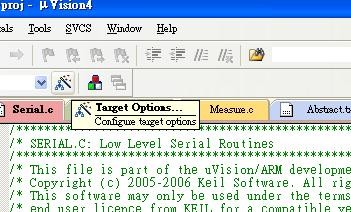
 And enter into “Debug/Trace mode”, click “View -> Serial Window -> UART#2”
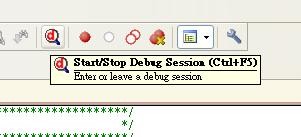
 Now, you can see what you want show in serial window !
 [Close]
- 一般來說, 對於同一份C程式, 分別編譯為ARM mode及Thumb mode, 有下列差異: Thumb mode的code size為ARM mode的70% Thumb mode需要使用的指令比ARM mode多40%以上 在32位元的記憶體架構下, ARM mode的code比Thumb mode的code快40% 在16位元的記憶體架構下, Thumb mode的code比ARM mode的code快45% Thumb mode消耗的記憶體功率比ARM mode少30% 所以根據開發者使用的記憶體架構,選擇適合的模式編譯會得到更有效率的表現。 [Close]
- Below Keil RTX support information for your reference. RTX currently supports Cortex-Mx, ARM7 and ARM9 targets, but not Cortex-R4. [Close]
- Enable memory regions for absolute memory accesses using the MAP debugger command or the Debug - Memory Map dialog. Define all the memory ranges that your program is permitted to access. Ensure that you set the permissions (read, write, execute) for each range to match your actual hardware. You may put the required MAP commands into a debugger INI file that can be entered under Project -> Options for Target -> Debug -> Initialization file. For example, the content of such a file may be: MAP 0xF800, 0xF8FF READ WRITE // allow R/W access to IO space [Close]
- 當uLink裝置與電腦連接時,出現以下狀況,為驅動程式安裝不正確。
電腦偵測到uLink裝置,但隨即就與裝置斷線。
 解決方式:用手動方式重新安裝驅動程式。
驅動程式預設路徑為:
C:\Keil\ARM\ULINK\InstallULINK
[Close]
解決方式:用手動方式重新安裝驅動程式。
驅動程式預設路徑為:
C:\Keil\ARM\ULINK\InstallULINK
[Close]